

Cloud storage backs up dashcam footage off the device, so a stolen or destroyed camera doesn’t mean lost evidence. It adds instant alerts, remote live viewing, and faster access after an incident, which matters most for cars parked on the street, plus fleet and rideshare drivers. Most services need a subscription and a mobile data plan, so it’s worth weighing against footage kept simply on an SD card.
TL;DR:
- Cloud storage backs up footage remotely, ensuring evidence remains accessible even if the dashcam is stolen or destroyed, and relies on an event-first upload system.
- Built-in LTE offers the most reliable real-time uploads without needing a phone, while Wi-Fi-only setups are less effective for immediate incident alerts or parking mode.
- Expect ongoing subscription costs, with higher tiers providing more storage and longer retention, and optimize expenses by switching to event-only uploads and lowering resolution for cloud clips.
- Secure footage requires encryption during upload and storage, two-factor authentication, and clear ownership and retention policies to ensure evidence integrity for claims.
- Insurer-recognised hardware, especially Thatcham-certified devices, combined with cloud backup, enhances the credibility and speed of insurance claims in case of theft or accidents.
Table of Contents
- What is dashcam cloud storage and how does it work?
- Which connectivity option should you choose: LTE, 4G modules, or Wi-Fi?
- How much data and cost should you expect from a cloud dashcam?
- Is your dashcam cloud footage actually secure?
- What do free and paid cloud storage plans actually include?
- How do you choose the right cloud dashcam setup for you?
- Why insurer-recognised hardware and cloud backup work well together
- When is cloud dashcam storage overkill, and when is it essential?
- Thatcham-approved dashcams and trackers, fitted properly
- Sources
- FAQ
What is dashcam cloud storage and how does it work?
A cloud dashcam does one thing an SD-only camera can’t: it sends footage somewhere other than the device itself. If the camera is smashed, stolen, or burnt out in a fire, the clip you actually need still exists on a server you can log into from your phone. An SD-only dashcam is only as safe as the card sitting inside it, which is exactly the weak point cloud backup exists to fix.
Most cloud dashcams don’t upload everything they record, which would burn through data allowances within hours. Instead, they use what’s called an event-first upload architecture. A built-in G-sensor detects sudden deceleration, impact, or unusual motion, flags that clip as an “event,” and pushes it to the cloud automatically. Ordinary driving footage stays on the SD card and gets overwritten on a loop, while event-triggered uploads and cellular connectivity handle the footage that actually matters. This is standard practice across the category, not a premium extra.
The SD card hasn’t become irrelevant here. It’s the local buffer that catches everything the cloud doesn’t need immediately, and it’s the fallback if your connection drops at the worst possible moment. Even cloud-enabled systems still lean on an SD card as a local buffer, because a dead signal during a collision with no local recording backing it up means no evidence at all. Anyone shopping for a cloud dashcam should treat SD card buffering as a non-negotiable feature, not a nice-to-have.
Three other features tend to travel together with cloud connectivity:
- Live view lets you open an app and watch what your camera sees in real time, useful for checking on a parked car or monitoring a fleet vehicle mid-journey.
- Push notifications fire the moment an event is detected, so you know about a knock, a break-in attempt, or a collision before you’ve even walked back to the car.
- GPS tagging stamps each clip with location and speed data, which strengthens the footage as evidence and helps fleet managers reconstruct a route after the fact.
Some cloud dashcams also run a dedicated parking mode, watching the vehicle while it’s switched off and triggering a recording (and often an alert) if something bumps or approaches it. That’s covered in more detail in Thatcham Trackers’ guide to insurer approved parking mode dashcams, which is worth reading before you decide how aggressive you want the motion sensitivity set.
Which connectivity option should you choose: LTE, 4G modules, or Wi-Fi?
Connectivity is the part buyers underestimate, and it’s the single biggest factor in whether cloud storage actually works when you need it. There are three routes into the cloud, and each comes with a genuine trade-off rather than an obvious winner.
Built-in LTE is the simplest option on paper. The dashcam has its own SIM and data connection, so it uploads event clips the moment they happen, wherever you are, without needing your phone nearby. Coverage depends on the network the SIM uses, and you’ll need an ongoing data plan, but you get the fastest, most reliable path from “event happens” to “clip is safely off the device.” Cloud uploads generally need a 4G or 5G data plan for real-time HD transfers, and built-in LTE is the only method that delivers that without any other hardware involved.
Optional 4G modules add cellular capability to a camera that doesn’t have it natively, usually as a plug-in accessory. They’re a sensible middle ground if you already own a compatible camera and don’t want to replace the whole unit, though you’re limited by whatever bandwidth the module supports and often pay a separate line for the SIM.
Vehicle Wi-Fi hotspots let the dashcam ride on your phone’s tethered connection or a factory-fitted in-car hotspot. This avoids a second SIM and second bill, but it only uploads while that hotspot is active and in range, which usually means while you’re driving with your phone connected. Park the car and walk away, and the upload chain often breaks with it, precisely when a break-in or hit-and-run is most likely to happen.
A few practical notes worth weighing before you commit to a method:
- Built-in LTE suits anyone who parks on the street, drives for a living, or wants alerts to work with no phone nearby.
- Wi-Fi-only setups are fine for footage you’ll review at home each evening, but weak for real-time theft or parking incidents.
- Hybrid switching, where a camera defaults to Wi-Fi at home and falls back to LTE elsewhere, is increasingly common and worth asking about specifically.
- Installation matters more than people expect: a poorly routed SIM antenna or a hotspot buried in the glovebox can quietly kill signal strength.
For a longer comparison of these three methods against real driving patterns, Thatcham Trackers’ guide to dashcam live view walks through which setup suits which type of driver.
How much data and cost should you expect from a cloud dashcam?
Budget for a monthly subscription, not a one-off purchase, and expect that number to move depending on resolution and how much you rely on live viewing. Most providers structure plans in tiers: an entry tier covering a fixed amount of cloud storage per device with a short retention window, and higher tiers that raise storage, retention, and sometimes the number of “live minutes” included before extra charges kick in. BlackVue’s cloud documentation confirms this pattern is standard across the category: paid tiers typically buy you more storage and a longer retention period than the free or entry option.
Data consumption is where costs quietly creep up. A short 1080p event clip uploads relatively cheaply, but resolution changes the picture fast.
Data reality check: To reliably upload 1080p event clips, plan for at least 5 Mbps of upload bandwidth; 4K recording needs substantially more, which pushes up both your data use and your monthly cost.
Live viewing is the other major driver. Streaming from a parked car to check on it, or watching a fleet vehicle in transit, consumes bandwidth continuously rather than in short bursts, so a habit of frequent live checks will move you into a higher tier faster than event uploads alone.
A few settings changes cut the bill without gutting the functionality:
- Switch to event-only upload rather than continuous cloud recording, since LTE-equipped dashcams typically prioritise event clips for upload anyway, so you’re not paying for footage you’d rarely watch.
- Drop resolution to 1080p for cloud uploads while keeping 4K locally on the SD card for footage you review at home.
- Use Wi-Fi offload for routine footage when the car’s parked at home overnight, saving cellular data for when it’s actually needed.
- Set live view sessions to end automatically after a short window rather than leaving a stream running.
There’s no universal price point worth quoting here, since plans vary by device, tier, and provider, and the specific numbers on any given product page are the ones that matter. The useful habit is checking storage-per-device, retention days, and included live minutes side by side before you commit, rather than comparing headline prices alone.
Is your dashcam cloud footage actually secure?
Security is where cloud dashcam claims get vague fastest, and it’s worth pushing past the marketing language before trusting a device with footage you might one day need as evidence. Two technical basics should be non-negotiable: footage encrypted in transit (while it’s uploading) and encrypted at rest (while it’s sitting on a server), and two-factor authentication on the account that controls access to it. If a provider can’t confirm both plainly, treat that as a warning sign rather than an oversight.
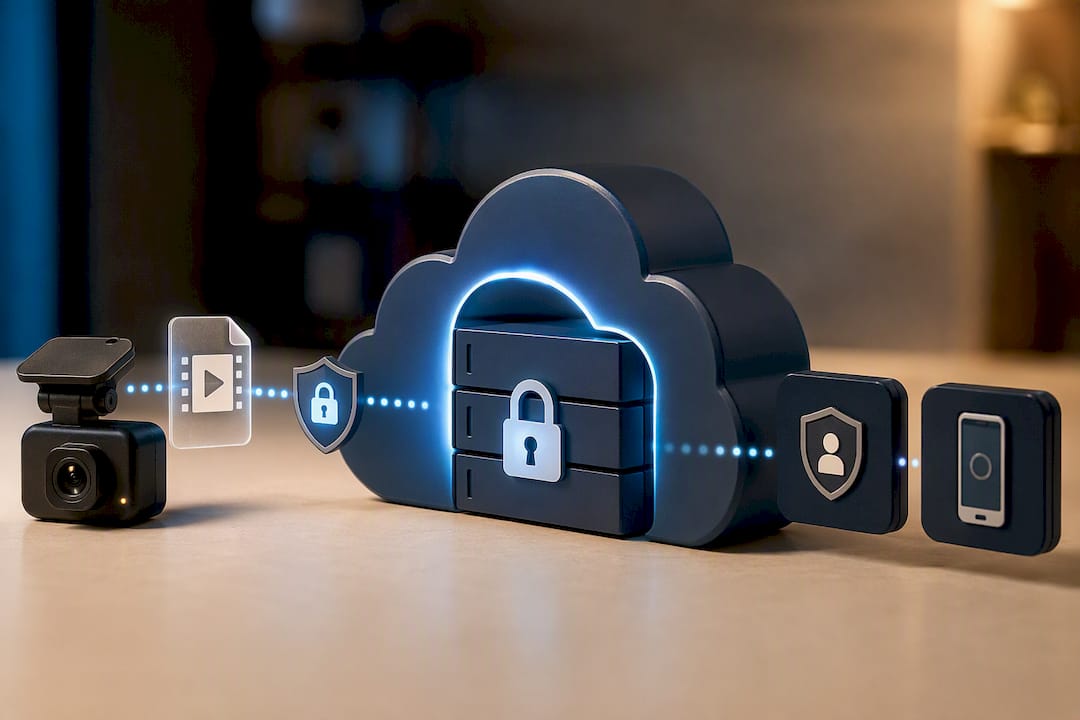
Ownership is the second thing to check, and it’s often buried in terms most buyers never read. Ask directly: who owns the footage once it’s uploaded, can you export it in a usable format, and what happens to your clips if you cancel the subscription. A retention policy that quietly deletes footage the moment you stop paying isn’t a technicality. It’s the difference between having evidence when you need it and finding out too late that you didn’t.
Vendor continuity is worth a moment’s thought too. Cloud services depend on the company behind them staying in business and maintaining their servers. A newer or smaller provider might offer better pricing, but it’s fair to ask how they’d notify customers of a breach, and whether footage would be recoverable if the service shut down tomorrow.
A short checklist before you trust any provider with your footage:
- Confirm encryption in transit and at rest, not just “secure cloud storage” as a marketing line.
- Enable two-factor authentication on the account the moment you set it up.
- Read the retention and export terms, specifically what happens to footage after cancellation.
- Ask how the provider handles and discloses data breaches.
Dashcam footage carries real weight in insurance disputes, and evidence quality can directly affect how an insurer settles a claim, so treating security as an afterthought undermines the entire point of paying for cloud backup in the first place.
What do free and paid cloud storage plans actually include?
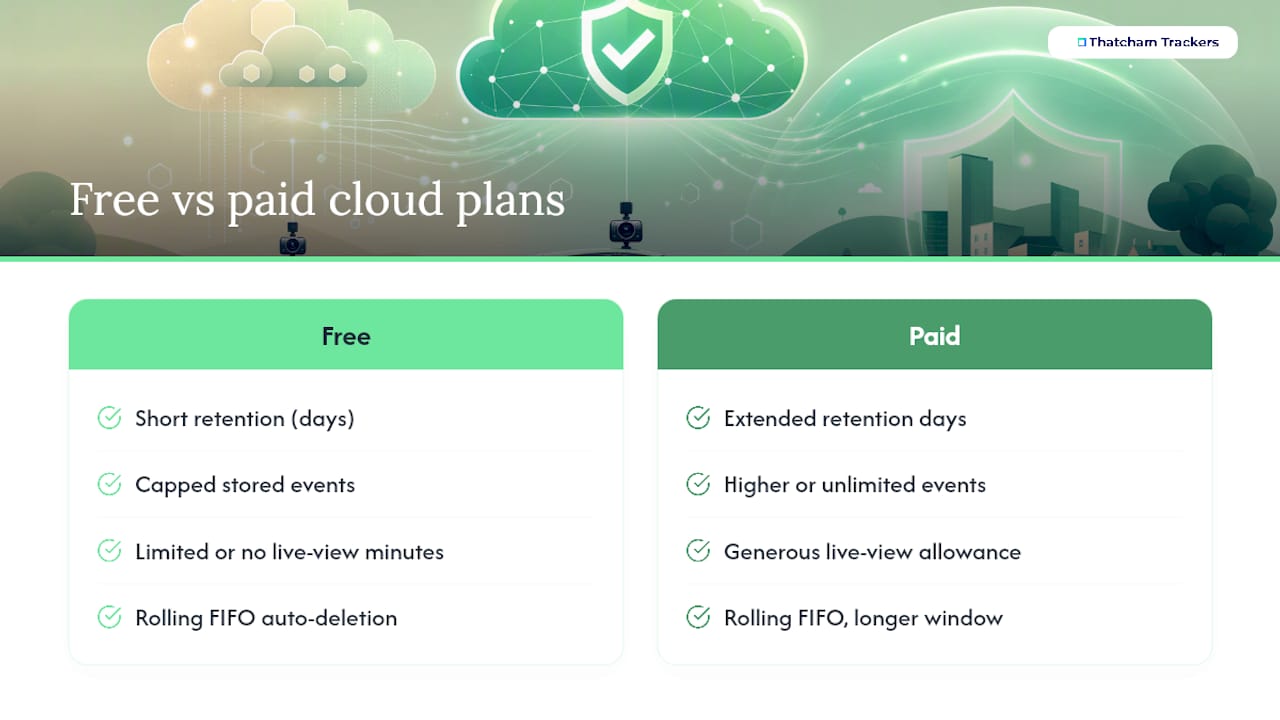
Free tiers exist mainly to demonstrate the feature works, not to cover you long-term. Expect a short retention window, often measured in days rather than weeks, a capped number of stored events, and limited or no live-view minutes. Paid tiers extend all three: more retention days, higher or unlimited event storage per device, and a generous live-view allowance, which is exactly the pattern BlackVue’s cloud plans follow, with paid accounts stepping up storage and retention over the free option.
Retention on most plans works on a rolling basis, sometimes called FIFO (first in, first out): once you hit your storage cap or retention limit, the oldest clips get deleted automatically to make room for new ones. That’s fine for routine driving footage nobody will ever watch, but it’s a genuine risk if you don’t realise a specific clip needs preserving before the rolling window catches up with it.
The fix is simple and worth building into habit: the moment something happens that might matter, whether a minor bump, a near miss, or a dispute at a junction, download that clip out of the rolling cloud storage and save it separately. Most apps let you flag or permanently save individual events so they’re excluded from auto-deletion, and that single step is the difference between having footage available for a claim months later and discovering it quietly expired.
Longer retention matters most for anyone likely to need footage well after the fact rather than within days: fleet operators facing liability claims, drivers involved in a dispute that takes weeks to resolve, or anyone whose insurer requests footage during a slow-moving investigation. If that’s your situation, it’s worth checking the specific retention days on a plan before buying, since providers vary this figure by tier rather than offering one fixed standard.
How do you choose the right cloud dashcam setup for you?
Matching a dashcam to your actual risk profile beats chasing the highest spec sheet. A rideshare driver, a fleet manager, and someone who parks on a driveway every night have genuinely different needs, and the right setup follows from how and where the car is actually used.
- Start with your parking habits, not the feature list. If the car sits on a public street overnight, built-in LTE with parking mode is close to essential, since Wi-Fi-only setups typically go dark the moment you walk away.
- Insist on SD card buffering as standard. No cloud dashcam should rely on connectivity alone; if the connection drops during an event, the SD card is the only thing that guarantees the footage still exists.
- Match retention to how you’d actually use footage. A quick commuter drive with no real risk history might be fine on a free or entry tier; a fleet vehicle involved in regular claims work needs a plan with retention measured in weeks, not days.
- Check SIM compatibility, warranty terms, and firmware update policy before buying. A camera that stops receiving updates is a camera whose cloud features quietly degrade over time.
Fleet operators in particular tend to land on a hybrid architecture: footage stored locally as the primary record, with only flagged events pushed to the cloud. SureCam’s analysis of fleet video storage found this balance keeps cloud costs manageable while still guaranteeing fast access to the footage that actually matters after an incident, which is a sensible model for any high-mileage or multi-driver situation, not just commercial fleets.
Pro Tip: Before committing to an annual plan, run a month on the cheapest tier the provider offers. It’s the fastest way to see your actual data consumption and live-view habits before locking into a bigger, more expensive commitment you might not need.
Why insurer-recognised hardware and cloud backup work well together
Thatcham Research is the UK’s benchmark for testing and certifying vehicle security devices, and insurers use its ratings to judge theft risk on a policy. A “Thatcham Approved” tracker or dashcam carries a digital certificate insurers actively recognise, which is why the certification matters well beyond a marketing badge.
Cloud storage adds a second layer to that recognition. A Thatcham-certified device already reassures an insurer about theft risk; footage backed up off the vehicle means that if a theft or collision does happen, the evidence supporting your claim survives even if the hardware doesn’t. That combination, verified device plus preserved footage, is what actually speeds up a claim rather than leaving it stuck on “insufficient evidence.”
Thatcham Trackers’ 4G dashcam with remote live view and tracking is built around exactly this pairing: certified hardware, live remote access, and cloud-backed event footage in one device, aimed at drivers who want their evidence to hold up when it counts rather than disappearing with a stolen camera.
When is cloud dashcam storage overkill, and when is it essential?
Cloud storage earns its keep fastest for fleets, rideshare drivers, and anyone who parks on a public street overnight. Those are the situations where an incident is most likely to happen unattended, and where remote alerts and off-device backup genuinely change the outcome.
For a car that sleeps on a private driveway and rarely faces real risk, a good SD card and solid parking mode probably covers you without a monthly bill attached. My honest advice: don’t buy the subscription on instinct. Start with the cheapest tier a provider offers, watch how often you actually check live view or need an old clip, and upgrade only once that pattern is clear. It’s a far better test than guessing from a spec sheet.
— Thatcham Trackers
Thatcham-approved dashcams and trackers, fitted properly
There are providers who supply insurer-recognised hardware carrying Thatcham Research certification, a digital certificate insurers recognise, and offer mobile installation services to ensure proper wiring and antenna placement.
The range covers what this guide has walked through in practice. The Thatcham Approved S7 and Thatcham Approved S5 trackers give insurers the certified theft-risk data they require, while the 4G dashcam with remote live view and tracking adds the connected evidence layer this article has covered, event uploads, live viewing, and GPS-tagged footage, on hardware built specifically for insurer recognition rather than adapted from a consumer gadget. For drivers who also want theft prevention rather than just documentation, the immobilisation range pairs naturally with a tracker and dashcam setup.
Browse the full Thatcham-approved tracker and dashcam range and book nationwide mobile installation to get certified hardware fitted correctly from day one.
Sources
- BlackVue Cloud manual — cloud storage features
- Dash Cam cloud upload requirements explained
- How does dash cam cloud storage work?
FAQ
How long will a 128GB SD card last in a dashcam?
It depends on resolution and whether it’s recording continuously or event-only, but SD card capacity limits how much footage you can keep locally before loop recording overwrites the oldest clips. Higher resolutions or dual front-and-rear recording shorten that window considerably.
Where does dashcam footage actually get stored?
Footage sits locally on the SD card as the primary record, and on cloud-enabled devices, event clips detected by the G-sensor are also pushed to a provider’s servers over LTE or Wi-Fi. Event-first upload architectures mean only flagged clips typically leave the device automatically, while routine footage stays on the card.
Do you have to pay for dashcam cloud storage?
Most providers offer a limited free tier with short retention and capped storage, but full functionality, longer retention, more storage per device, and generous live-view minutes, generally sits behind a paid subscription, as BlackVue’s own cloud plan structure demonstrates.
Is there a good dashcam that doesn’t need a subscription?
Yes. Any SD-only dashcam with solid parking mode and a decent-sized card avoids subscription costs entirely, though you lose remote alerts, live viewing, and off-device backup. For drivers who want insurer-recognised hardware without ongoing cloud fees, Thatcham Trackers’ certified trackers pair well with a subscription-free dashcam setup.
Does cloud storage make dashcam footage more useful for insurance claims?
Yes, largely because it preserves footage even if the camera itself is damaged, stolen, or destroyed in the incident. Combined with Thatcham-approved hardware, cloud-backed footage gives insurers verifiable evidence that’s harder to dispute and faster to act on.