

A tracker tamper alert is an immediate notification sent when a GPS tracker is physically interfered with, removed, or disconnected from power. The moment you receive one, take three steps: check the device’s live location in your tracking app, contact your 24/7 Secure Operating Centre (SOC) or nominated responder, and do not approach the vehicle if theft is suspected.
These alerts are a core feature of Thatcham Research-certified S5 and S7 tracking systems. The S5 and S7 standards require battery back-up and a minimum of two minutes’ resistance to attack, so a tamper alert must fire even after external power is severed. BS 8591 governs the monitoring centres that receive those alerts and coordinate with police and insurers.
Key immediate actions when a tamper alert fires:
- Check live location and recent movement history in your tracking platform
- Call your SOC or nominated emergency contact immediately
- Do not confront anyone near the vehicle
- Note the timestamp and preserve any dashcam footage
Table of Contents
- What does a tracker tamper alert actually detect?
- How do the different types of tamper detection work?
- UK standards, Thatcham approval, and what your insurer expects
- How to configure tamper alerts: step-by-step
- Installation and hardware choices that affect tamper detection
- How to test tamper alerts safely and fix common problems
- What to do when a tamper alert fires
- Practical habits that keep tamper detection reliable long-term
- Why Thatcham approval and SOC integration are the only configuration that matters
- Thatcham Trackers: certified devices, accredited installation, and SOC monitoring
- Useful sources and further reading
What does a tracker tamper alert actually detect?
A tamper alert and a movement alert are not the same thing. A movement alert fires when the vehicle moves without authorisation, whereas a tamper alert fires when the tracker itself is interfered with, regardless of whether the car has moved at all.
The distinction matters. A thief who removes a tracker before driving away will never trigger a geofence or motion alert. The drop alert is the earliest possible indicator in that scenario, firing the moment the device is lifted, exposed to light, or disconnected.
Common trigger events include:
- Physical removal of the device from its mount
- Exposure of a light sensor (the device is lifted and daylight hits the sensor)
- Activation of a spring-loaded tamper switch beneath the unit
- Cutting of the external power supply
- Disconnection of the GPS antenna
What the alert looks like to you depends on your configuration: a push notification in the tracking app, an SMS to your registered number, an email, or a direct call from the SOC. Thatcham-approved systems typically escalate to the SOC automatically, which then contacts you and, where a theft is confirmed, liaises with police.
How do the different types of tamper detection work?
Not all tamper detection is equal. The method used determines how quickly an alert fires, how reliably it reaches the monitoring centre, and how susceptible it is to false triggers.
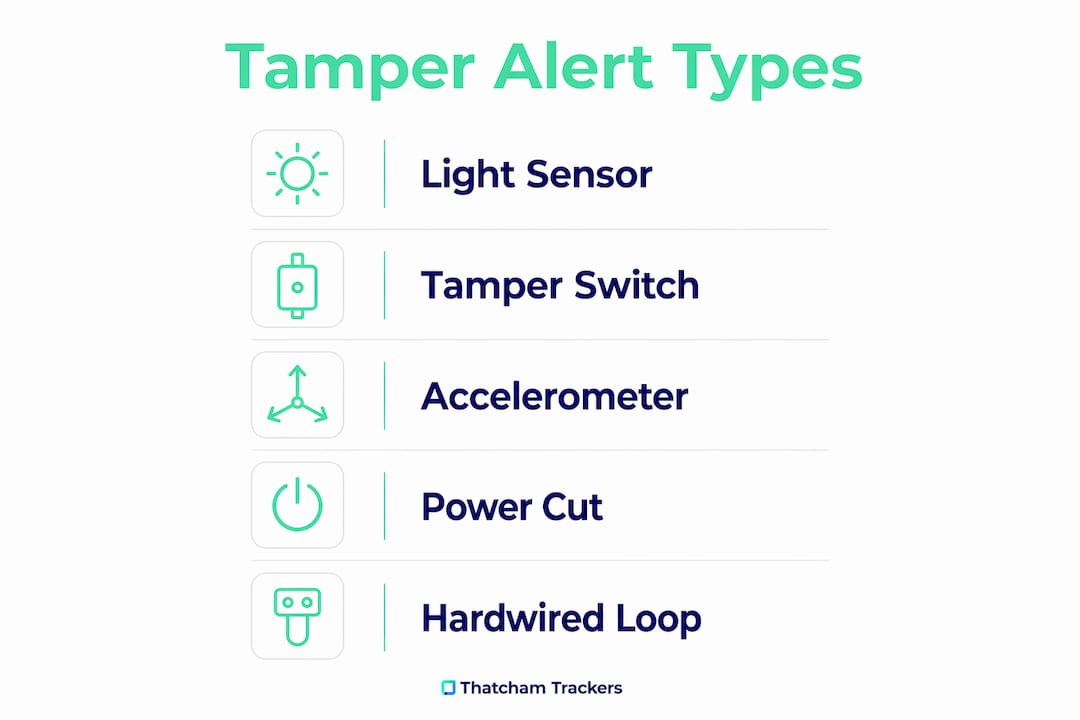
Light and drop sensors
The most common consumer-grade method. A light sensor or depressed switch sits beneath the tracker. When the unit is lifted from its mount, the sensor is exposed and the alert fires via cellular. For this to work correctly, the tracker must be mounted face-down or covered by its bracket. Mounting it face-up in an open position will cause constant false triggers.
Spring-loaded tamper switches
A mechanical switch held closed by the device’s own weight or its mount. If the device is removed, the switch opens and triggers the alarm. Reliable and simple, though susceptible to vibration on poorly mounted units.
Accelerometer and vibration sensors
Detect shock or movement of the tracker itself rather than the vehicle. Useful for detecting attempts to prise the device free. Sensitivity is configurable on most platforms; too high a setting causes false positives from engine vibration or road bumps.
External power-cut alarms
Devices supporting this alert type notify the SOC the moment the vehicle’s 12V supply is severed. Many devices, including those following MEITRACK-style configurations, support external power cut-off alarms alongside GPS antenna cut-off detection, configurable by SMS command or PC software.
Hardwired tamper loops
A dedicated circuit wired into the vehicle’s harness. If the loop is broken or shorted, the alert fires. This is the most resilient method: it is independent of the tracker’s own sensors and continues to function even if the device is physically destroyed. Professional installation is required to wire a tamper loop correctly.
Backup battery behaviour
When external power is cut, the internal backup battery keeps the device alive long enough to transmit the alert. Without backup power, a power-cut alarm is useless. Thatcham S5 and S7 requirements mandate this backup capability precisely because it closes the gap a power-cut attack would otherwise create.
Pro Tip: Layered detection reduces single-point failure. If a thief defeats the light sensor by covering it, a hardwired power-cut alarm or tamper loop will still fire. Configure at least two detection types on any Thatcham-approved device.
UK standards, Thatcham approval, and what your insurer expects
Thatcham Research is the UK’s central automotive risk intelligence organisation. Its S5 and S7 tracker categories set the minimum technical bar that insurers use when requiring or rewarding a tracker installation.
For tamper alerts specifically, the Thatcham tracking system definitions require:
- Battery back-up so the device continues to operate after external power is cut
- Resistance to attack for a minimum of two minutes
- 24/7 SOC monitoring with the capability to escalate to police
Thatcham S5 and S7 systems must include battery back-up and demonstrate resistance to attack for a short period ensuring alerts fire even after power is cut. Insurer acceptance depends not only on the device model but on correct installation, activation, and SOC registration — paperwork and confirmation of activation matter as much as hardware choice.
BS 8591 is the British Standard governing remote monitoring centres. A Category 1 SOC operating under BS 8591 can initiate a Level 1 police response when a confirmed theft is in progress. Insurance-approved trackers with SOC monitoring can trigger exactly this response, which is why insurers treat Thatcham S5/S7 certification as a meaningful risk reduction.
For owners of high-value or specialist vehicles, including classic cars where classic car insurance policies often specify tracker requirements, correct activation and SOC registration are non-negotiable for policy compliance. An unactivated device, or one without a valid digital certificate, will not satisfy the insurer’s requirement regardless of the hardware fitted.
How to configure tamper alerts: step-by-step
This process applies to Thatcham-approved S5, S5 Plus, and S7 devices. Steps may vary slightly by device model and platform, but the sequence is consistent.
Pre-configuration checks
- Confirm your device model is Thatcham S5, S5 Plus, or S7 certified and supports tamper detection.
- Update device firmware to the latest version via your tracking platform or installer.
- Verify your registered mobile number and email address are current in the platform.
- Confirm your SOC subscription is active and your vehicle details are on record.
Device-level setup
- Log in to your tracking app or web portal.
- Navigate to device settings and locate the tamper or drop alert toggle.
- Enable the tamper sensor. Note: on light-sensor devices, enabling the tamper alert may increase battery consumption slightly.
- Set sensitivity if the option is available. Start at medium and adjust after testing.
- Configure an arming delay (typically 30–60 seconds) so the alert does not fire during legitimate handling by the installer or owner.
- Confirm backup battery settings are enabled and the battery is charged.
Platform and app notification setup
- Enable push notifications for tamper events in the app’s alert settings.
- Add SMS and email as secondary channels so alerts reach you if the app is backgrounded.
- Set escalation rules: tamper alerts should route to the SOC automatically, not just to your phone.
- Review geofence settings. A geofence alert and a tamper alert firing simultaneously can create confusion; stagger notification priorities so the SOC receives tamper alerts first.
- Set authorised user permissions so only nominated contacts can acknowledge or dismiss a tamper alert.
SOC and monitoring setup
- Contact your SOC to confirm 24/7 monitoring is active for your specific device IMEI.
- Provide vehicle registration, make, model, and colour.
- Set response preferences: silent tracking, call-back to owner, or direct police liaison.
- Request and store your digital certificate. Your insurer will require this as proof of compliant installation and activation.
Pro Tip: After completing setup, ask your SOC to confirm in writing that your device is registered, active, and flagged for tamper escalation. Keep this alongside your insurance documents.
Installation and hardware choices that affect tamper detection
Where and how a tracker is installed determines how well tamper detection performs. A device fitted in an obvious location with a magnetic surface mount is far easier to remove silently than one hardwired behind a dashboard panel.
Mounting method comparison:
- Magnetic surface mount: Quick to fit, easy to reposition, but straightforward to remove. Suitable for temporary or asset-tracking use; not recommended for Thatcham S5/S7 compliance.
- Concealed adhesive mount: Better concealment, harder to locate and remove. Requires correct orientation for light-sensor devices.
- OBD-II plug-in: Convenient but highly visible and trivially easy to unplug. Offers no meaningful tamper resistance for insurance-grade applications.
- Hardwired installation: The gold standard for Thatcham-approved devices. Requires cutting into the vehicle’s wiring loom, connecting to permanent power, and optionally wiring a tamper loop. Removal requires tools and time, meeting the two-minute resistance-to-attack requirement.
For wiring, connect to a permanent 12V supply rather than an ignition-switched feed. An ignition-tapped connection means the device loses power every time the engine is off, which can generate spurious power-cut alerts and reduces backup battery life over time. Place the backup battery in a location that is not immediately accessible if the primary device is found.
Environmental factors also matter. Engine vibration, car wash jets, and rough road surfaces can all trigger vibration-based sensors if sensitivity is set too high. Secure the device firmly to eliminate movement, and reduce accelerometer sensitivity one step if false positives persist after installation.
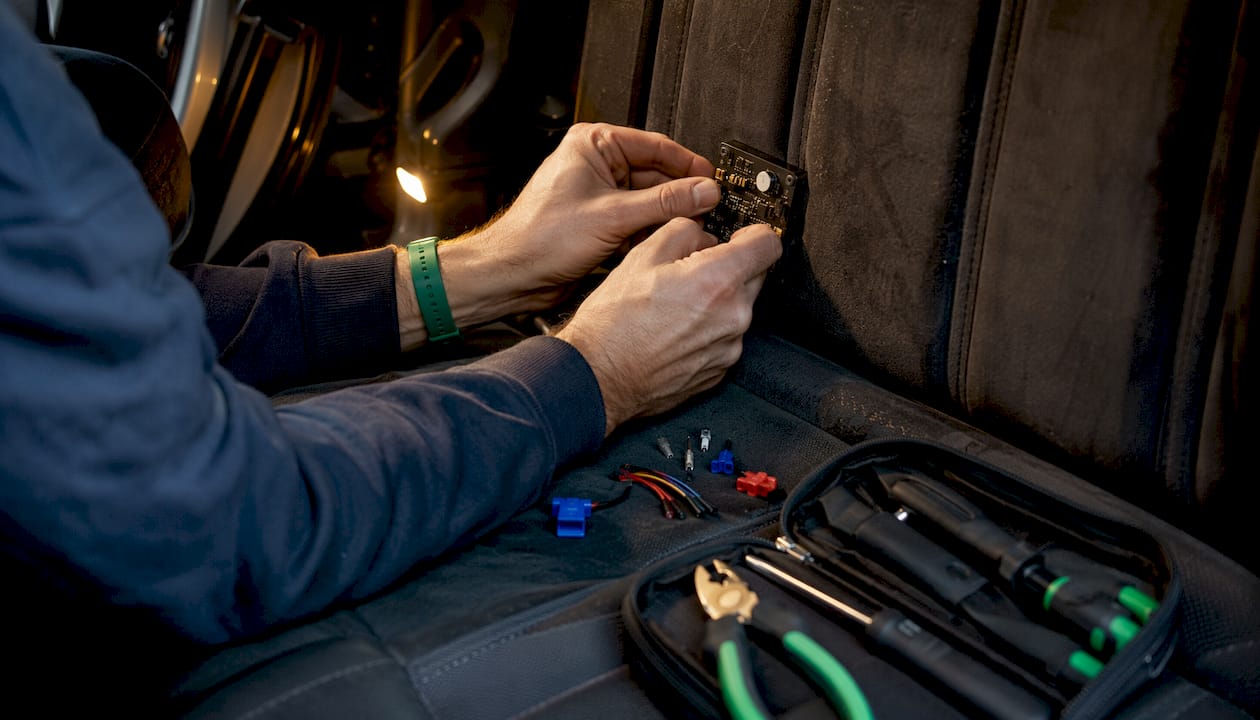
Pro Tip: Thatcham S5 and S7 installations must be carried out by accredited or approved mobile installers to meet resistance-to-attack and wiring standards. A self-fitted device may not satisfy insurer requirements even if the hardware is certified. See the S7 installation guide for accredited fitting requirements.
How to test tamper alerts safely and fix common problems
Testing confirms the full alert chain: device sensor, cellular transmission, app notification, and SOC receipt. Do this after installation and at least every six months.
Safe test procedure
- Notify your SOC before testing. Tell them you are conducting a planned tamper test so they do not initiate a police response.
- Arm the device and wait for the arming delay to expire.
- Simulate removal: lift the device slightly from its mount, or briefly cover and uncover the light sensor per the manufacturer’s guidance.
- Check your phone for the push notification and SMS within 60 seconds.
- Confirm the SOC received the alert by calling them directly.
- Rearm the device and log the test date in your records.
Diagnostics checklist
- Device event logs: Review the last 24 hours for unexpected tamper events or repeated power-cycle entries, which can indicate a loose connection.
- Backup battery voltage: Most platforms display battery health. Replace the backup battery if voltage is below the manufacturer’s minimum threshold.
- SIM and network status: A device showing offline or poor signal will not transmit alerts reliably. Check signal strength in the app.
- Firmware version: Outdated firmware is a common cause of missed alerts. Update via the platform or contact your installer.
Common false positive causes and fixes
- Poor mounting: The device shifts during driving and the tamper switch cycles. Re-secure the mount with additional adhesive or a cable tie.
- Excessive sensitivity: Reduce accelerometer sensitivity one level at a time until false triggers stop.
- Environmental light changes: A light-sensor device near a window may trigger at dawn or when a car park light changes. Relocate to a darker position or adjust sensitivity.
- Loose wiring: A partially connected power lead causes repeated power-cut alerts. Inspect and reseat all connectors.
If hardware faults are suspected after these checks, escalate to your installer or SOC rather than attempting further self-diagnosis.
What to do when a tamper alert fires
Speed and sequence matter. The steps below apply to both individual owners and fleet managers.
For car owners
- Do not approach the vehicle or the area if you suspect theft is in progress.
- Open your tracking app and check live location and the last known position.
- Call your SOC immediately. Give them your vehicle registration and confirm the alert type.
- Follow SOC instructions. If they confirm movement or a confirmed theft, they will contact police directly.
- Notify your insurer and log the event reference number from the SOC.
- Preserve all evidence: timestamped alert records, device event logs, and any dashcam footage.
For fleet managers
- Confirm the driver’s location and welfare by phone before assuming theft.
- If the driver cannot be reached, treat the alert as a potential theft and contact the SOC.
- Suspend remote start authorisations or activate No Tag No Start immobilisation if available via your platform.
- Notify your insurer and log the incident with full vehicle and driver details.
- Preserve dashcam footage, SOC call recordings, and event logs for any subsequent police or insurance investigation.
Number plate cloning is a related risk during vehicle theft incidents. Services such as Protect A Plate can help fleet managers add a layer of protection against cloned plates being used on stolen vehicles, which complicates recovery and insurer claims.
GPS jamming is also a known threat. Jamming is illegal in the UK but remains technically possible; a device that goes offline suddenly while a tamper alert fires simultaneously is a strong indicator of a jammer being used. Report this detail to both the SOC and police.
Practical habits that keep tamper detection reliable long-term
Good configuration at installation is not sufficient on its own. These habits maintain detection reliability over months and years.
- Schedule firmware updates. Set a calendar reminder every quarter to check for updates via your tracking platform. Outdated firmware is the most common cause of missed alerts.
- Run a manual tamper test every six months. Always notify the SOC first. Log the result and the date.
- Monitor backup battery health monthly. Most platforms display this in the device dashboard. A degraded battery will fail to transmit alerts after a power cut.
- Conceal the tracker but verify sensor coverage. The device should be hidden from view, but the tamper sensor must still be covered by its mount. A device hidden face-up with the light sensor exposed will generate constant false triggers.
- Stagger notification rules. Configure tamper alerts to reach the SOC within seconds and your phone within 30 seconds. Simultaneous geofence and tamper notifications arriving together create noise; prioritise tamper escalation.
- Confirm SOC registration annually. Monitoring subscriptions can lapse or vehicle details can become outdated. Verify your record with the SOC at each policy renewal.
Pro Tip: Schedule a brief SOC drill once a year: call them, confirm your vehicle details are current, and ask them to read back your response preferences. This takes five minutes and confirms the full chain is intact before you need it.
Why Thatcham approval and SOC integration are the only configuration that matters
The technical configuration steps in this guide are straightforward. The harder part is understanding why each step exists. Tamper alerts on consumer-grade trackers are useful, but they are not the same as a Thatcham-certified system. The difference is not marketing. It is the two-minute resistance-to-attack requirement, the mandatory backup battery, and the BS 8591-compliant monitoring centre that can initiate a police response.
A tamper alert that fires on your phone but goes nowhere else is a notification. A tamper alert that fires at a 24/7 SOC, triggers a police liaison call, and generates a timestamped log your insurer accepts as evidence is a security system. The configuration steps matter because they are what connect the hardware to that outcome.
Fleet managers sometimes treat tracker configuration as a one-time task. It is not. Firmware updates, SOC registration checks, and periodic manual tests are what keep the chain intact. A device that was correctly configured eighteen months ago may have a lapsed monitoring subscription, an outdated firmware version, or a degraded backup battery. None of those failures are visible until the alert does not arrive.
The right Thatcham tracker for your vehicle is the starting point. Correct installation, active SOC registration, and a tested alert chain are what make it work.
Thatcham Trackers: certified devices, accredited installation, and SOC monitoring
Thatcham Trackers supplies insurance-approved S7, S5, and S5 Plus certified trackers with tamper detection, backup battery, and 24/7 SOC monitoring compatibility built in. Every purchase includes the digital certificate your insurer requires, and installation is carried out by accredited mobile fitters who meet Thatcham’s wiring and resistance-to-attack standards.

For fleet operators, the range includes No Tag No Start Ghost Immobilisation options that integrate directly with tamper and movement alert workflows. For individual car owners, the S7 and S5 collections cover the full range of insurer requirements, from standard monitoring to ADR-capable immobilisation. Activation checks and SOC registration are handled as part of the purchase process, so the alert chain is confirmed before the installer leaves your vehicle.
View the full range of Thatcham-approved trackers and book your accredited installation today.
Useful sources and further reading
The following resources support the technical claims and configuration guidance in this article. Keep your installation certificate and SOC registration confirmation alongside these references for insurer purposes.
- Thatcham Research — Thatcham tracking system definitions and S5/S7 specifications: the primary source for resistance-to-attack requirements, battery back-up mandates, and monitoring centre expectations.
- Thatcham tracking system definitions guide — S5/S7 technical definitions: detailed definitions used by installers and insurers to verify compliance.
- Insurance-approved tracker overview — What an insurance-approved tracker is and how it affects your premium: explains SOC workflows, tamper alert features, and police liaison processes.
- GPS drop alert explained — How drop alerts work in car security: covers light sensors, spring switches, and layered detection principles.
- Tamper-proof GPS tracker guidance — How to prevent GPS tampering: mounting orientation, battery trade-offs, and app-level tamper settings.
- Thatcham Trackers S7 installation guide — Step-by-step S7 installation guidance for 2026: accredited fitting requirements and wiring best practice.
- Thatcham Trackers insurance tracker guide — Why insurance requires a Thatcham tracker: insurer requirements, paperwork, and SOC registration steps.
- Best practices guide — Insurance-approved tracker best practices 2026: maintenance, firmware, and compliance habits for long-term reliability.
Keep your digital certificate, SOC registration confirmation, and installation report in a single folder alongside your insurance documents. Insurers may request any of these at claim stage.